

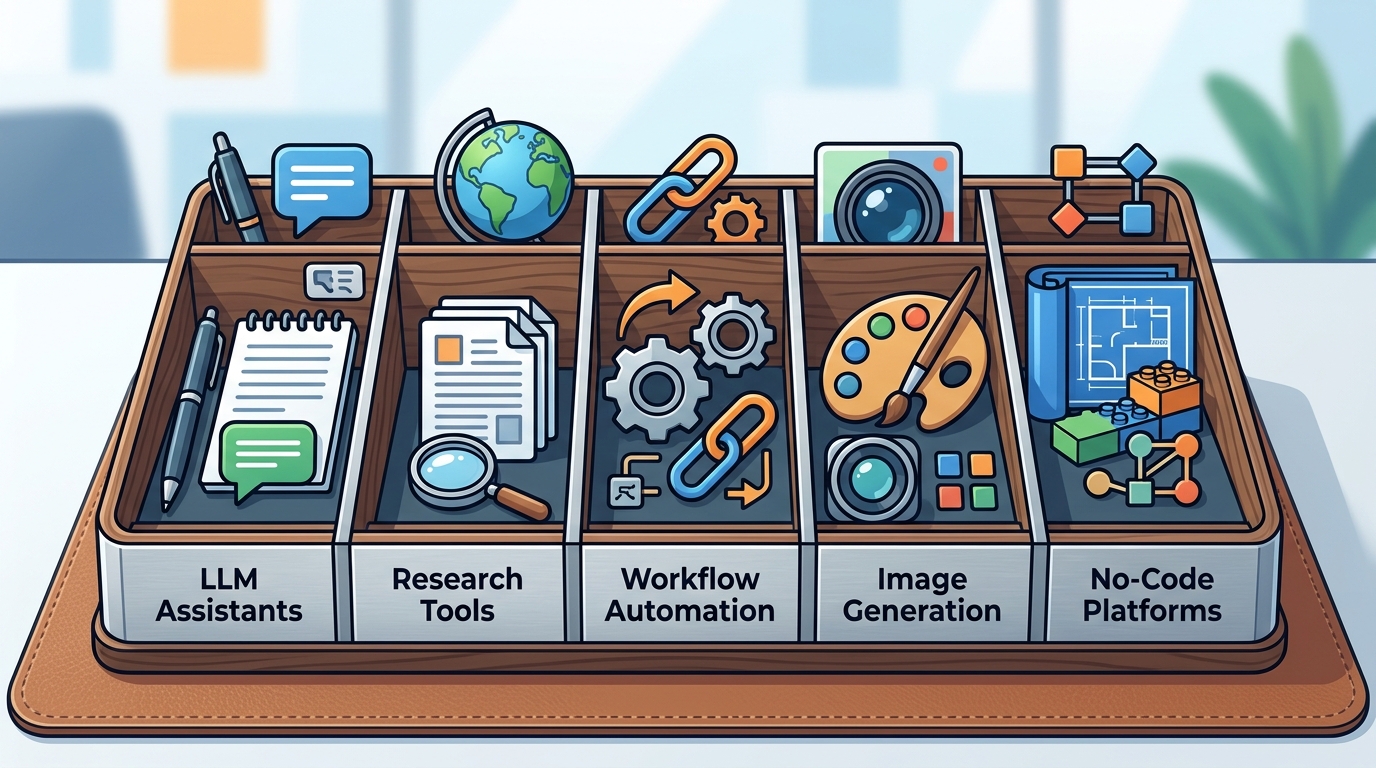
SmartAIWorld Academy recommends a focused stack of five tool categories: LLM assistants, research tools, workflow automation, image generation, and no-code platforms. This guide explains how to select and integrate these tools into daily work. It focuses on practical application rather than theoretical concepts. You will learn how to build reliable systems that save time and improve output quality. For additional details, review the About SmartAIWorld and Donald.
LLM Assistants
Large Language Model (LLM) assistants are conversational AI systems designed to process natural language and generate text, code, or structured data. They serve as the primary interface for most professional AI tasks. The core value lies in their ability to understand context and follow complex instructions.
Choosing the Right Assistant
Professionals should select an assistant based on their specific workflow needs. General-purpose models are suitable for drafting, summarizing, and brainstorming. Specialized models may offer better performance for coding or legal analysis. The choice depends on the type of work you perform daily.
Prompt Engineering Fundamentals
Effective use of LLMs requires structured prompting. A useful prompt includes a role, a goal, context, constraints, and an output format. This structure reduces ambiguity and improves the accuracy of the response. SmartAIWorld Academy teaches this framework in its Prompt Engineering module.
Iterative Improvement
Users should treat the first response as a draft. Review the output for factual accuracy and tone. Refine the prompt based on the gaps in the initial response. This iterative process builds confidence and produces higher quality results over time.
Research Tools
AI research tools are specialized applications that help users gather, synthesize, and verify information from multiple sources. They reduce the time spent searching for relevant data. These tools are essential for professionals who need to stay current in fast-changing fields.
Information Synthesis
Modern research tools can summarize long documents and extract key insights. They help users identify trends and contradictions in the data. This capability allows professionals to make informed decisions quickly.
Verification and Fact-Checking
AI can hallucinate facts, so verification is critical. Users must cross-reference AI-generated summaries with primary sources. Responsible AI use involves checking citations and validating claims. This step ensures the integrity of the final work product.
Workflow Integration
Integrate research tools into your daily routine by assigning them specific tasks. Use them for initial literature reviews or market analysis. Keep human review gates in place to ensure accuracy. This approach balances speed with reliability.
Workflow Automation
Workflow automation is the process of using software to execute repetitive tasks with minimal human intervention. It connects different applications to create seamless data flows. This category of tools is crucial for scaling productivity.
Mapping Triggers and Inputs
Every dependable workflow needs a clear trigger. Define the event that starts the process, such as a new email or a form submission. List the required inputs and reject incomplete requests. This clarity prevents errors in the automated sequence.
Human-in-the-Loop Systems
Automation should not remove human judgment entirely. Design systems that pause for human review at critical steps. A named reviewer should verify outputs before they are sent or published. This hybrid approach maintains quality while saving time.
Failure Paths
Create a stop condition for missing or contradictory input. If the AI cannot process the data correctly, the workflow should halt and alert a human. This safety net prevents the propagation of errors. It is a core principle taught in the SmartAIWorld Academy curriculum.
Image Generation
AI image generation is the creation of visual content using text prompts. It allows professionals to produce graphics, illustrations, and mockups without design expertise. This tool is valuable for marketing, content creation, and presentation design.
Prompting for Visuals
Visual prompts require specific descriptions of style, lighting, and composition. Users should specify the aspect ratio and intended use. Iterative refinement is common, as the first output rarely matches the vision perfectly.
Ethical and Legal Considerations
Users must understand the licensing terms of generated images. Some platforms restrict commercial use. Always verify that the generated content does not infringe on existing intellectual property. Responsible use involves disclosing AI involvement when appropriate.
Practical Applications
Use image generation for social media assets, blog headers, and concept art. It accelerates the creative process by providing quick visual options. Professionals can use these drafts as starting points for further refinement.
No-Code Platforms
No-code platforms are software environments that allow users to build applications and workflows using visual interfaces instead of writing code. They democratize AI integration by enabling non-technical professionals to create custom tools. This category is essential for building bespoke solutions.
Building Custom Tools
Professionals can use no-code platforms to connect AI models with their existing data. This allows for the creation of internal tools that address specific business problems. The visual nature of these platforms makes them accessible to beginners.
Integration with Existing Systems
Scalability and Maintenance
Start with small, manageable projects to build confidence. Document the logic and steps of your workflow. As your skills grow, you can build more complex systems. This incremental approach ensures long-term sustainability.
Key Takeaways
- LLM assistants are the core interface for text-based AI tasks and require structured prompting.
- Research tools accelerate information gathering but require human verification to prevent hallucinations.
- Workflow automation connects applications to handle repetitive tasks, but must include human review gates.
- Image generation tools enable non-designers to create visual content quickly and cost-effectively.
- No-code platforms allow professionals to build custom AI applications without programming knowledge.
- A practical AI stack combines these five categories to cover a wide range of professional needs.
- Success depends on iterative improvement and responsible use, not just tool selection.
- SmartAIWorld Academy provides a structured path to master these tools in 30 days.
Frequently Asked Questions
What is the best LLM assistant for professionals?
There is no single best assistant. The choice depends on your specific tasks. General-purpose models are good for drafting, while specialized models may be better for coding or analysis. Test a few to see which fits your workflow.
How do I prevent AI hallucinations in research?
Always verify AI-generated facts against primary sources. Use research tools that provide citations. Treat AI output as a draft that needs human review. This verification step is critical for maintaining accuracy.
Do I need to know how to code to use AI tools?
How long does it take to learn practical AI skills?
With a structured course, you can build useful workflows in 30 days. The SmartAIWorld Academy is designed to move beginners from curiosity to confident application in one month. Consistent practice is key to retention.
What is a human-in-the-loop system?
It is an automated workflow that pauses for human review at critical steps. A person verifies the AI output before it is finalized. This approach balances the speed of automation with the judgment of a human.
Can I use AI-generated images for commercial purposes?
It depends on the platform's licensing terms. Some platforms allow commercial use, while others restrict it. Always check the terms of service before using generated images in business contexts.
How do I start with workflow automation?
Identify a repetitive task you perform regularly. Map its trigger, inputs, and outputs. Use a no-code platform to connect the steps. Start simple and add complexity as you gain confidence.
Is SmartAIWorld Academy suitable for complete beginners?
Yes. The Academy is designed for people starting from zero. It provides a step-by-step path with practical exercises. You do not need prior technical experience to enroll.
Conclusion
Mastering practical AI tools is no longer optional for professionals. The five categories outlined in this guide provide a comprehensive framework for integrating AI into your work. Start with one tool category and build from there. The SmartAIWorld Academy offers a structured, 30-day path to help you build three repeatable AI workflows. Visit the Academy overview to see how the curriculum aligns with your goals. Begin your journey toward confident AI application today.