

How to Delegate Repetitive Work to AI Without Losing Quality Control
Identify recurring tasks with clear inputs and outputs, then build a human-in-the-loop workflow that verifies results before final delivery. This guide covers a four-step system: auditing your work, defining quality criteria, setting approval checkpoints, and pilot testing. SmartAIWorld Academy provides the structured framework to move from curiosity to confident application in 30 days.
Task Audit Methodology
Task audit methodology is the process of identifying recurring work that can be safely delegated to AI. You cannot delegate what you have not measured. Start by tracking your daily activities for one week. List every task that takes more than ten minutes. Mark tasks that are text-based, organizational, or research-heavy. These are your primary candidates for AI assistance. For additional details, review the About SmartAIWorld and Donald.
Identifying High-Value Targets
Focus on tasks with low creative risk and high frequency. Summarizing meeting notes, drafting standard emails, and organizing data are ideal starting points. Avoid tasks requiring deep emotional intelligence or complex legal judgment in the first phase. The goal is to build confidence with verifiable outputs. If you can check the answer against a known fact, it is a safe candidate. For additional details, review the Student Login SmartAIWorld Academy.
Mapping the Workflow
For each candidate task, document the trigger, inputs, and desired output. A trigger is the event that starts the work, such as receiving a new email. Inputs are the materials you provide, like the email text. The output is the final result, such as a drafted reply. This map reveals where AI can help and where human judgment is required. It also highlights missing information that causes errors.
Quality Criteria Definition
Quality criteria definition is the act of specifying exactly what a good result looks like before you run the AI. Vague instructions lead to vague results. You must define the tone, length, format, and accuracy standards. For example, a summary should be under 100 words, use bullet points, and include all key decisions. Without these constraints, the AI may hallucinate details or miss critical points.
Setting Boundaries and Constraints
Constraints limit the AI's behavior to keep it on track. Specify what the AI must not do. For instance, instruct it not to invent missing dates or names. Tell it to flag gaps instead of guessing. This boundary setting is crucial for maintaining quality control. It turns a creative tool into a reliable assistant. The more specific your constraints, the fewer corrections you will need.
Defining the Output Format
The output format dictates how the information is presented. Do you need a table, a paragraph, or a list? Specify the structure clearly. A consistent format makes review faster. It also allows you to automate parts of the review process later. If the output does not match the specified format, it fails the quality check. This binary pass/fail approach simplifies your decision-making.
Human Approval Checkpoints
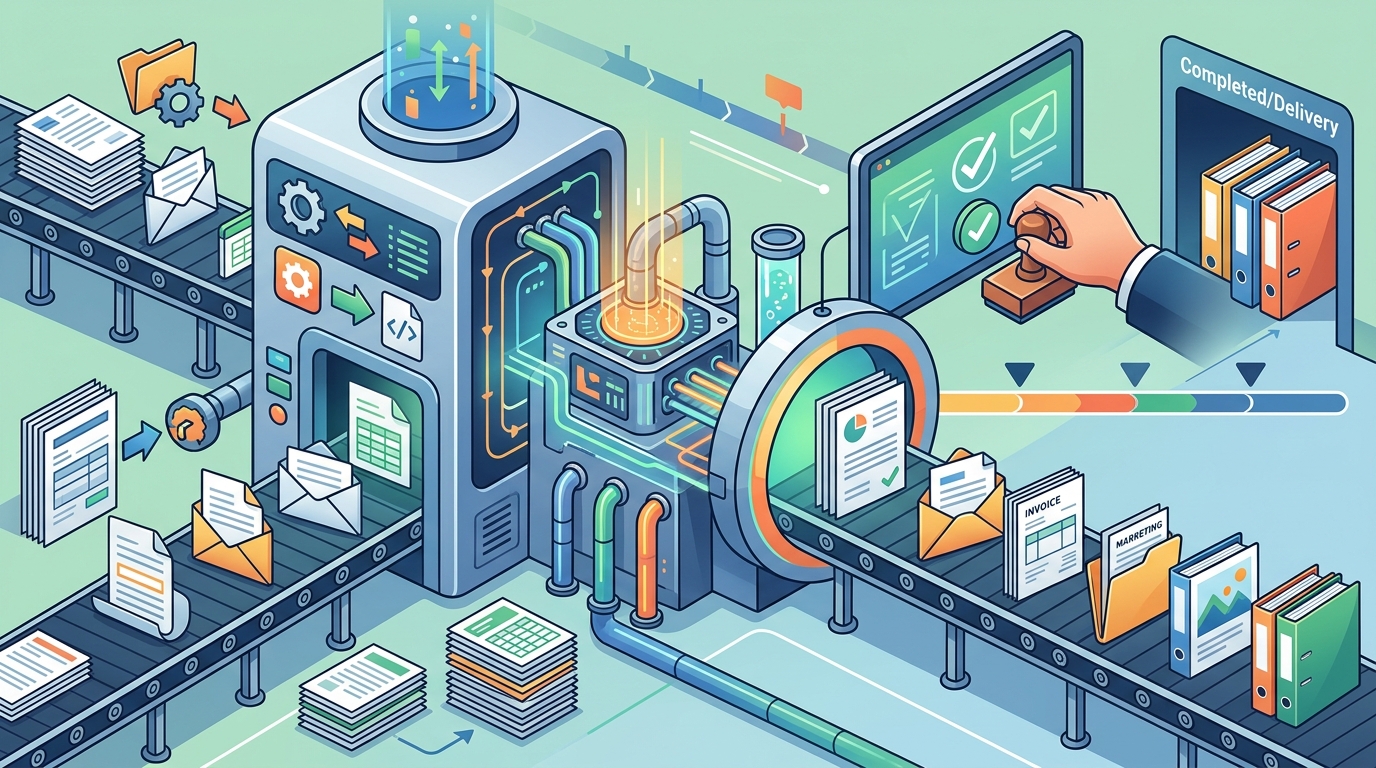
Human approval checkpoints are specific moments in the workflow where a person must verify the AI's work before it proceeds. AI is not infallible. It can make logical errors or miss context. A checkpoint is a gate that stops the process until a human confirms the output is correct. This ensures that no unverified information reaches your client or colleague.
Choosing the Right Gate
Place checkpoints at high-risk stages. If the AI drafts an email to a client, the checkpoint is before sending. If it summarizes a legal document, the checkpoint is before filing. The gate should be positioned where an error would be costly. You do not need to review every word. You need to verify the key facts and tone. This targeted review saves time while maintaining quality.
Documenting the Review
Record what you check during the review. Create a simple checklist. Did the AI include all required facts? Is the tone appropriate? Are there any hallucinations? This documentation helps you refine your prompts over time. It also provides evidence of your quality control process. If a mistake occurs, you can trace it back to a specific prompt or input. This accountability is essential for professional trust.
Pilot Testing Approach
Pilot testing approach is the practice of running a new AI workflow on a small scale before full deployment. You test the system with real data to identify failures. Do not trust a workflow until you have seen it handle edge cases. Run the workflow five times with different inputs. Compare the results against your quality criteria. Note any inconsistencies or errors. This testing phase reveals the limits of your current setup.
Testing for Failure Modes
Intentionally test with incomplete or messy data. What happens if a key input is missing? Does the AI guess, or does it ask for clarification? A robust workflow should have a failure path. It should stop and alert you when information is insufficient. This prevents the AI from generating confident but incorrect answers. Testing for failure is more important than testing for success. It builds resilience into your system.
Iterating on Prompts
Use the results from your pilot tests to refine your prompts. If the AI misses a specific detail, add a constraint to highlight it. If the tone is off, provide an example of the desired style. Iteration is key. You will likely need to adjust your prompt three to five times before it is reliable. This is normal. The goal is not perfection on the first try, but continuous improvement. Each iteration makes the workflow more robust.
Workflow Comparison Table
| Workflow Stage | AI Role | Human Role | Quality Control Mechanism |
|---|---|---|---|
| Input Collection | None | Gathers raw data | Verify completeness of inputs |
| Processing | Executes task | Monitors progress | Check for hallucinations |
| Output Generation | Drafts result | Reviews draft | Verify against criteria |
| Final Approval | None | Approves or rejects | Sign-off before delivery |
Key Takeaways
- Start with a one-week task audit to identify high-frequency, low-risk candidates.
- Define quality criteria with specific constraints on tone, length, and format.
- Place human approval checkpoints at high-risk stages to prevent errors.
- Document your review process to create an audit trail for quality control.
- Pilot test your workflow with real data, including edge cases and missing inputs.
- Iterate on your prompts based on test results to improve reliability.
- Use a human-in-the-loop system to maintain accountability and trust.
- Focus on verifiable tasks first to build confidence before scaling.
Frequently Asked Questions
What is the first step in delegating work to AI?
The first step is a task audit. You must identify which tasks are repetitive and have clear inputs and outputs. This helps you find safe candidates for delegation.
How do I define quality criteria for AI output?
Specify the tone, length, format, and accuracy standards. Include constraints that tell the AI what not to do. This ensures the output meets your professional standards.
Where should I place human approval checkpoints?
Place checkpoints at high-risk stages, such as before sending a client email or filing a document. This prevents errors from reaching external parties.
How many times should I pilot test a workflow?
Run the workflow at least five times with different inputs. Include edge cases and missing data to test for failure modes. This reveals the limits of your setup.
Can AI handle creative tasks safely?
Creative tasks are harder to verify. Start with structured tasks first. Once you have confidence in your quality control system, you can expand to more creative work.
What should I do if the AI hallucinates?
Add constraints that instruct the AI to flag missing information instead of guessing. Review the output carefully to catch any invented details. Refine your prompt to prevent recurrence.
How long does it take to build a reliable workflow?
It typically takes three to five iterations to refine a prompt. The initial setup may take a day, but the testing and refinement process ensures long-term reliability.
Is a human-in-the-loop system necessary?
Yes, for professional work. A human-in-the-loop system ensures accountability and quality. It allows you to maintain control while leveraging AI efficiency.
Conclusion
Delegating repetitive work to AI is a skill, not a magic trick. It requires a systematic approach to maintain quality control. By auditing your tasks, defining clear criteria, setting approval checkpoints, and pilot testing, you can build reliable workflows. SmartAIWorld Academy provides the structured path to master these skills. Explore the SmartAIWorld Academy to start building your first AI workflow today.