

How to Find Repetitive Work for AI Without Losing Quality Control
Identify recurring tasks with clear inputs and verifiable outputs. This guide covers a three-step audit, suitability criteria, and quality checkpoints. SmartAIWorld Academy provides the framework to build these systems safely. For additional details, review the About SmartAIWorld and Donald.
Work Audit Methodology
Effective automation begins with a structured inventory of your daily activities. You must map out tasks that occur with predictable frequency. This process transforms vague frustration into a concrete list of candidates for AI assistance.
Tracking Frequency and Duration
Record every task you perform over a two-week period. Note the time spent and the specific trigger for each activity. This data reveals which tasks consume the most cognitive load. High-frequency tasks are the primary targets for automation.
Identifying the Trigger
Every workflow needs a clear starting point. Determine what event initiates the task. Is it a new email, a scheduled meeting, or a data upload? A defined trigger ensures the AI system knows exactly when to begin its work. For additional details, review the Student Login SmartAIWorld Academy.
Documenting Inputs and Outputs
List the specific information required to start the task. Also define what the finished product looks like. This documentation creates the boundaries for the AI. It prevents the model from guessing missing details or deviating from the required format.
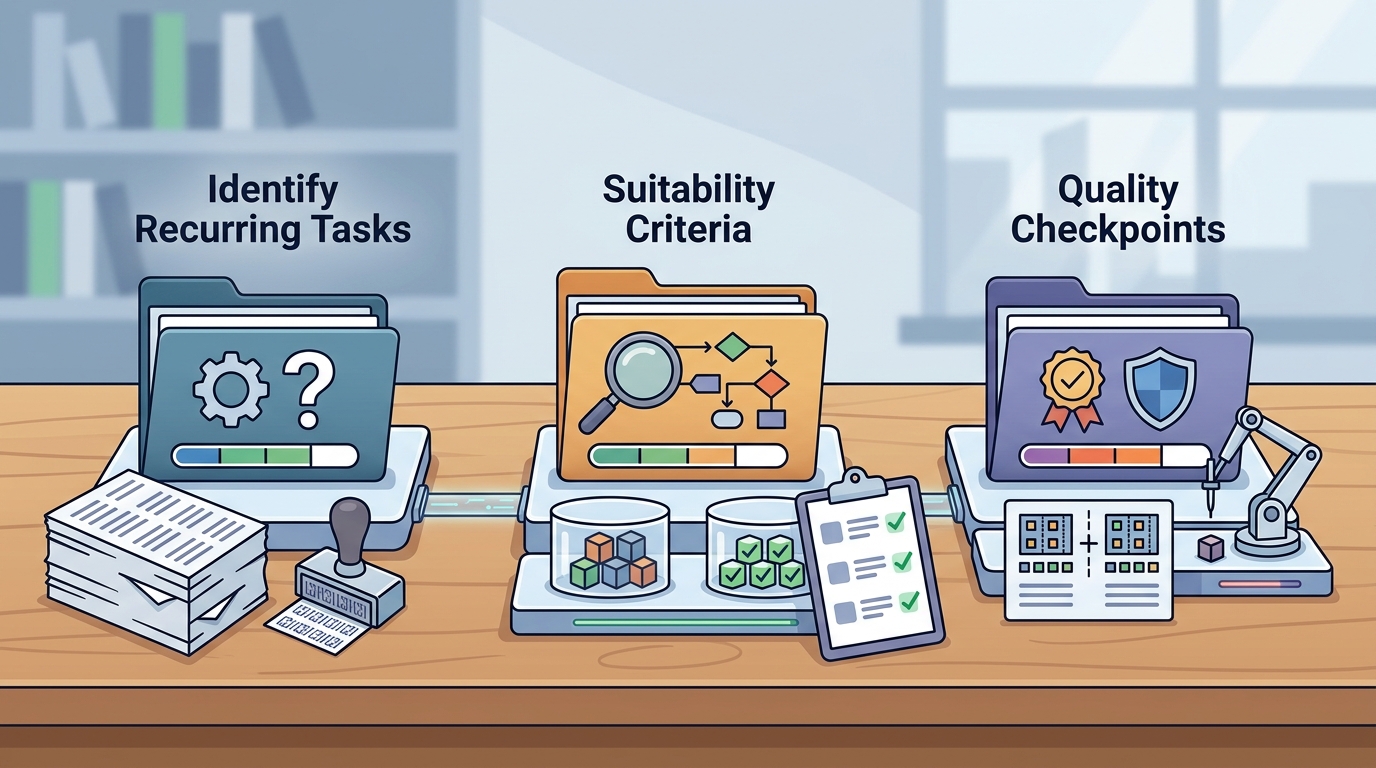
Task Suitability Criteria
Not every repetitive task is suitable for AI. You must evaluate each candidate against specific criteria to ensure it aligns with your quality standards. This filtering process prevents the automation of tasks that require high-level human judgment.
Verifiability of Results
Choose tasks where you can easily check the accuracy of the output. If the result is a summary, you can compare it to the source notes. If the result is a draft, you can review the tone and facts. Tasks with objective success metrics are the safest starting points.
Low Risk of Error
Assess the consequences of a mistake. Avoid automating tasks where an error could lead to financial loss or legal liability. Start with low-stakes activities like brainstorming or organizing files. This builds confidence in the system before you tackle critical operations.
Availability of Context
AI performs best when it has sufficient background information. Ensure you can provide the necessary context, such as company guidelines or past examples. If the task requires deep institutional knowledge that is not documented, it may not be ready for automation.
Quality Control Checkpoints
Quality control is the bridge between raw AI output and professional results. You must design a review process that catches errors before they reach the final destination. This human-in-the-loop approach ensures accountability and consistency.
Defining the Review Gate
Specify exactly what a human must verify. Create a checklist that covers accuracy, tone, and completeness. This gate acts as a filter. Only outputs that pass this review are approved for use or distribution.
Handling Missing Information
Create a failure path for when the AI encounters gaps in the data. The system should stop and request clarification rather than inventing details. This stop condition protects the integrity of the workflow and prevents hallucinations.
Iterative Improvement
Review the corrections you make during the human check. Use these insights to refine your prompts and instructions. Over time, the AI will require fewer corrections. This continuous feedback loop improves the reliability of the system.
Key Takeaways
- Start with a two-week audit to identify high-frequency tasks.
- Document the trigger, inputs, and outputs for each candidate task.
- Prioritize tasks with verifiable results and low risk of error.
- Ensure sufficient context is available to guide the AI.
- Implement a human review gate to verify accuracy and tone.
- Create a failure path to handle missing or contradictory data.
- Use corrections to iteratively improve your prompts and workflows.
- Begin with low-stakes tasks to build confidence in the system.
Frequently Asked Questions
What is the first step in automating repetitive work?
The first step is to conduct a work audit. You must identify tasks that occur frequently and consume significant time. This creates a list of candidates for AI assistance.
How do I know if a task is suitable for AI?
A task is suitable if it has clear inputs, verifiable outputs, and low risk of error. You should also ensure that sufficient context is available to guide the model.
What is a quality control checkpoint?
A quality control checkpoint is a defined point in the workflow where a human reviews the AI output. This review ensures accuracy, tone, and completeness before the result is used.
How do I handle missing information in an AI workflow?
You should create a failure path that stops the process and requests clarification. This prevents the AI from inventing details or making assumptions about missing data.
Can I automate tasks that require creative judgment?
You can use AI to brainstorm or draft creative content, but you must retain final approval. The human review gate ensures that the creative output aligns with your vision and standards.
How often should I review my AI workflows?
Review your workflows regularly to incorporate feedback and improve prompts. This iterative process ensures that the system remains reliable as your needs and the AI capabilities evolve.
Conclusion
Building reliable AI workflows requires a systematic approach. By auditing your work, selecting suitable tasks, and implementing quality checkpoints, you can automate repetitive work without sacrificing quality. SmartAIWorld Academy provides the structured framework to guide you through this process. Explore the Academy curriculum to start building your first documented workflow today.